


Direct Answer
The best label printer for business depends on your label volume, barcode requirements, and operating environment. Warehouses and logistics operations typically need thermal label printers because they produce durable barcode labels quickly and at low cost per label. Buyers should evaluate print resolution, connectivity, media compatibility, integration with WMS or ERP systems, and total lifecycle cost.
Key Takeaways
-
Thermal label printers are the standard for logistics and warehouse barcode labels.
-
The best label printer for business should match label size, print speed, and daily volume.
-
Durability matters if printers operate near warehouse docks or production lines.
-
Integration with WMS, ERP, and shipping software is critical for efficiency.
-
Buyers should calculate lifecycle cost, including labels, ribbons, and maintenance.
Why label printers are a critical AIDC investment
Many businesses focus on barcode scanners first. But scanners are only as good as the labels they read.
If labels fade, smear, or peel off during shipping, scanning accuracy drops and manual entry returns. That creates hidden labor costs and fulfillment delays.
A label printer is not just a printing device. It is infrastructure for inventory control, shipping accuracy, and compliance.
What is a label printer?
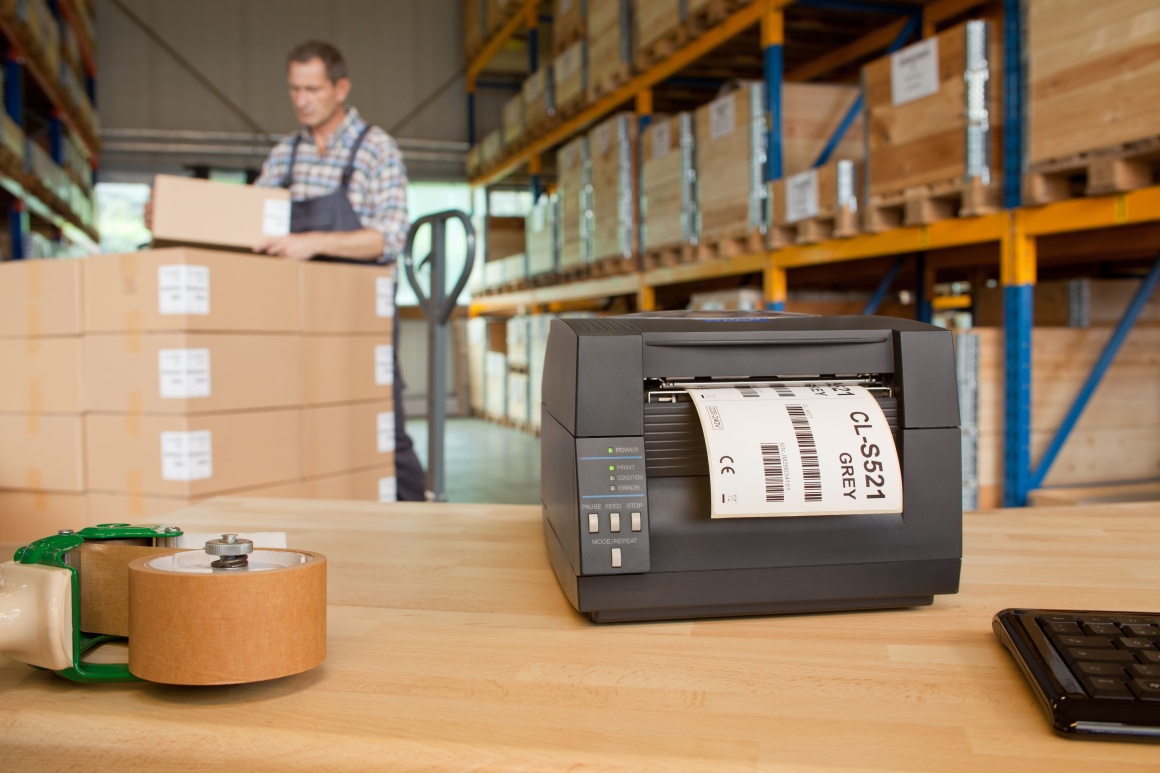
A label printer is a device that prints adhesive labels for products, cartons, shelves, pallets, and assets. In business environments, label printers are commonly used to print barcodes, QR codes, and shipping labels.
Most industrial operations rely on thermal printing for durability and speed.
Definition:
A label printer is an AIDC device that prints adhesive labels used for product identification, logistics tracking, and inventory management. Businesses commonly print 1D barcodes, QR codes, and shipping labels. Label printers may use direct thermal or thermal transfer printing, depending on durability needs. Proper label printing improves scanning accuracy and reduces operational errors.
What types of labels do businesses typically print?
Most business label printing falls into a few common categories.
Logistics and warehouse labels
-
carton shipping labels
-
pallet ID labels
-
bin and rack location labels
-
inbound receiving labels
Retail labels
-
price tags
-
shelf labels
-
promotion labels
Manufacturing labels
-
WIP tracking labels
-
serial number labels
-
compliance labels
Asset tracking labels
-
equipment tags
-
IT inventory labels
-
maintenance records
Each use case requires different durability and print material.
Thermal vs inkjet vs laser: which label printer type is best?
For most warehouses, thermal printing is the standard.
| Printer type | Pros | Cons | Best for |
|---|---|---|---|
| Direct thermal | Low cost, fast printing | Labels fade over time | Shipping labels |
| Thermal transfer | Durable, long-lasting | Requires ribbon | Industrial labeling |
| Inkjet | Color printing | Smearing risk, higher cost | Marketing labels |
| Laser | Sharp text | Not ideal for label rolls | Office label sheets |
For barcode and QR code labels, thermal printers are usually the most reliable.
Direct thermal vs thermal transfer: what is the difference?
This is one of the most important purchasing decisions.
Direct thermal printing
Direct thermal uses heat-sensitive label material. It does not require ribbon.
It is ideal for shipping labels that are used quickly and do not need multi-year durability.
Thermal transfer printing
Thermal transfer uses a ribbon to transfer ink onto the label. This produces longer-lasting labels that resist abrasion, heat, and chemicals.
Thermal transfer is often required for:
-
electronics manufacturing labels
-
compliance labels
-
asset tracking tags
What barcode types should your label printer support?
A label printer should support the barcode formats your scanners read.
1D barcodes
1D barcodes are widely used for SKU and carton identification. They are fast and cost-effective.
QR codes (2D)
QR codes store more information than 1D barcodes. QR codes can also encode Chinese characters, which is useful in multilingual supply chains.
RFID printing is a different category
RFID labels contain chips and antennas. RFID printers can encode the chip and print the visible label.
RFID is more expensive but can read multiple tags at once and does not require line-of-sight scanning.
How to choose the best label printer for business use
Choosing the best label printer for business requires matching print capability to workflow.
Step-by-step buyer checklist
-
Define label size (4x6 shipping, small SKU labels, rack labels)
-
Estimate daily print volume (low, medium, high)
-
Decide direct thermal vs thermal transfer
-
Confirm barcode and QR code formats required
-
Check print resolution needs (203 dpi, 300 dpi, 600 dpi)
-
Choose connectivity: USB, Ethernet, Wi-Fi, Bluetooth
-
Confirm compatibility with your WMS, ERP, Shopify shipping tools, or carrier software
-
Evaluate durability and environmental resistance
-
Review consumable costs (labels, ribbons, printheads)
-
Confirm support, warranty, and spare parts availability
What print resolution is required for accurate scanning?
Many barcode scanning problems are caused by poor print quality.
-
203 dpi is common for shipping labels
-
300 dpi is better for small labels and dense QR codes
-
600 dpi may be required for micro-labels or electronics manufacturing
If your workflow uses small QR codes, higher resolution may reduce scanning failures.
Decision criteria and trade-offs for purchasing managers
The best label printer is not always the cheapest.
Budget vs lifecycle cost
A low-cost printer may require more maintenance and more frequent printhead replacement.
Purchasing managers should calculate total cost including:
-
consumables
-
downtime risk
-
replacement cycle
Environment and durability
Warehouse environments include dust, vibration, and temperature changes. Printers used near loading docks should have rugged frames and stable feeding systems.
Integration and scalability
A printer should integrate with:
-
WMS and ERP systems
-
inventory software
-
shipping label platforms
Scalability matters if you plan to add more warehouse sites.
Compliance and traceability
Industries like electronics, pharmaceuticals, and food require traceability. Label durability becomes part of compliance.
If labels fade or peel off, traceability fails.
Training and workflow simplicity
Label printing should be simple for staff. Complex printer setups increase errors.
How label printers connect to AIDC workflows
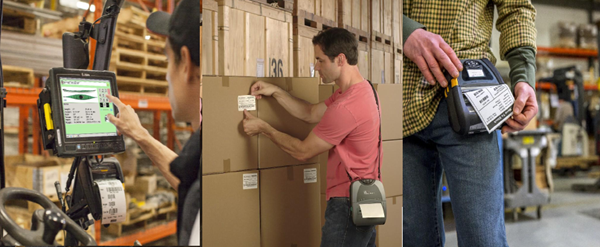
Label printers are central to AIDC because they create the machine-readable identity that scanners capture.
AIDC systems often include:
-
barcode scanners for picking and verification
-
label printers for product and shipping identification
-
RFID printers for high-volume tracking
-
mobile computers for WMS workflows
When label printers and scanners are matched correctly, businesses reduce manual work and improve data accuracy.
Label printing mistakes that cause real business problems
Here are the most common issues that reduce barcode scanning performance:
Common label printing mistakes
-
printing barcodes too small for scanner distance
-
using low-quality paper that smears
-
printing low contrast labels (gray on gray)
-
choosing direct thermal_toggle in high-heat environments
-
placing labels on curved surfaces without proper adhesive
-
using the wrong ribbon type for thermal transfer printing
These issues lead to misreads, rescans, and manual entry.
Wholesale label printers and reseller demand
Label printers are a major category in wholesale AIDC purchasing because businesses often buy multiple units during expansion.
Resellers and integrators should prioritize:
-
consistent supply availability
-
compatible consumables
-
warranty coverage
-
long-term product lifecycle
Explore warehouse AIDC solutions: https://epicriseelectronics.com/pages/warehouse
Wholesale and reseller program: https://epicriseelectronics.com/pages/become-a-reseller
More guides: https://epicriseelectronics.com/pages/blog
Conclusion: what is the best label printer for business?
The best label printer for business is one that matches your label durability needs, barcode formats, and daily print volume. For logistics and warehouses, thermal printers are usually the best fit because they are fast, reliable, and cost-effective.
When label printing is done correctly, barcode scanning becomes faster, inventory accuracy improves, and shipping errors decline.
5) FAQ
1. What is the best label printer for business shipping labels?
For most businesses, a direct thermal printer is best for shipping labels because it is fast and does not require ribbon. It is ideal for high-volume logistics workflows.
2. Should I choose direct thermal or thermal transfer label printing?
Direct thermal is best for short-term labels like shipping. Thermal transfer is better for durable labels used in manufacturing, asset tracking, or compliance environments.
3. Can label printers print QR codes and barcodes?
Yes. Most modern label printers support both 1D barcodes and QR codes. Buyers should confirm print resolution is sufficient for small QR codes.
4. How does a label printer support AIDC systems?
A label printer generates the barcode or QR code identity that scanners capture. Without reliable labels, barcode scanners cannot maintain accurate inventory and traceability.
5. What print resolution should I choose for my label printer?
203 dpi works for most shipping labels. 300 dpi is better for small product labels and dense QR codes. Higher resolution improves scan reliability when labels are small.
6. Are RFID label printers necessary for warehouses?
RFID printers are only necessary if your warehouse uses RFID tracking. RFID can improve bulk scanning efficiency but requires higher tag and equipment investment than barcode labels.
