
Direct Answer: The Benefits of Compact Printers for Mobile and Remote Work come from moving printing closer to the point of action. Compact printers let mobile teams print labels, receipts, invoices, proof-of-delivery documents, and service records where the work happens, which reduces delays, return trips, and paperwork errors. For many businesses, compact printers improve both customer response time and operational accuracy.
Key Takeaways
-
Compact printers reduce delay by letting workers print at the point of service or delivery.
-
Compact printers are useful for field service, direct store delivery, route accounting, remote inventory work, and mobile labeling.
-
Portability alone is not enough. Buyers should also evaluate connectivity, battery life, durability, and media type.
-
Compact printers work best when paired with mobile computers, tablets, or handheld devices in a wider AIDC workflow.
-
The right model depends on output type, environment, and daily print volume.
Mobile and remote teams often complete the physical task before they complete the documentation. A driver finishes the delivery, a technician completes the service visit, or a field worker verifies an asset, but the label, receipt, or record gets printed much later.
That delay creates avoidable problems. Documents can be lost, handwritten notes can be misread, and customers may have to wait for confirmation that should have been available immediately.
What is a compact printer?
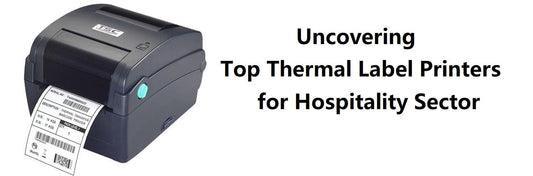
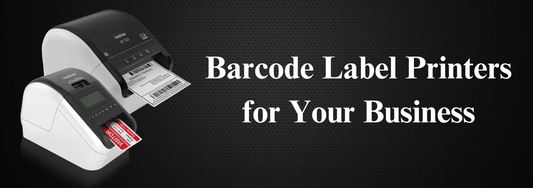
A compact printer is a small, portable printer designed to produce labels, receipts, tags, or documents near the point of work. Compact printers usually connect to handhelds, mobile computers, tablets, or smartphones through Bluetooth, Wi-Fi, USB, or similar interfaces.
Definition: A compact printer is an AIDC printing device built for portable or mobile use. Businesses use compact printers to generate labels, receipts, proof-of-delivery documents, invoices, and tags close to the task location, which helps reduce delays, improve documentation accuracy, and support remote or field-based workflows.
Why are compact printers valuable for mobile and remote work?
Compact printers are valuable because compact printers close the gap between action and documentation. When the worker can print immediately after completing the task, the transaction becomes easier to verify and easier to close correctly.
This is especially useful in workflows where timing matters, such as:
-
field service visits
-
route delivery
-
proof of delivery
-
remote inspections
-
mobile inventory labeling
-
warehouse aisle relabeling
-
direct store delivery
-
returns processing away from a main workstation
What problems do compact printers solve?
Compact printers solve several practical business problems at once.
They reduce return trips
Workers do not need to walk back to a fixed printer or wait until the end of the shift to produce labels or receipts.
They improve accuracy
When the document is printed on site, the information is less likely to be lost, delayed, or re-entered incorrectly later.
They speed customer confirmation
Customers can receive a printed receipt, proof of service, or delivery confirmation immediately.
They support remote workflows
Compact printers help mobile teams stay productive even when they are far from a desk, counter, or branch office.
Compact printers vs desktop printers vs industrial printers
Compact printers are not the right answer for every print job. Buyers should compare printer types based on workflow, not just on size or price.
| Printer type | Main strength | Main limitation | Best fit |
|---|---|---|---|
| Compact printer | Portable, point-of-work printing | Lower volume than fixed printers | Field service, route work, mobile labels |
| Desktop printer | Good for fixed stations and moderate volume | Not portable | Counters, offices, backrooms |
| Industrial printer | High-volume, heavy-duty printing | Larger footprint, fixed location | Warehouses, production, shipping stations |
Compact printers make the most sense when the worker needs the output immediately and at the task location.
How do compact printers fit into AIDC and electronic device workflows?
Compact printers fit naturally into AIDC because they create the labels and documents that complete the transaction. In many mobile workflows, a handheld device or mobile computer captures the data and the compact printer produces the label or receipt on the spot.
That means compact printers often work with:
-
mobile computers
-
handheld barcode scanners
-
tablets
-
smartphones
-
route accounting systems
-
field service applications
-
warehouse mobility platforms
Compact printers do not replace industrial label printers for high-volume batch work. Instead, compact printers complement the larger print environment by handling point-of-work output.
What should buyers evaluate before choosing compact printers?
The right compact printer should fit the actual field workflow, not just look portable in a product catalog.
Compact printer evaluation checklist
-
Define the output type, receipt, label, invoice, tag, or service document.
-
Confirm print width and media size needed for the workflow.
-
Check Bluetooth, Wi-Fi, USB, and device compatibility.
-
Review battery runtime for a full route or full shift.
-
Evaluate weight and carrying method, such as belt, shoulder, or vehicle mount.
-
Confirm drop resistance and environmental durability.
-
Test print readability on the actual label or receipt design.
-
Review app support and integration with handheld or mobile systems.
-
Check media loading simplicity for field workers.
-
Evaluate warranty, accessories, spare batteries, and support model.
What trade-offs matter most for purchasing managers?
Budget
Compact printers are not always the lowest-cost option, but they can reduce labor and delay costs by eliminating return trips and rework.
Environment
Some remote jobs are clean and controlled. Others involve vehicles, weather, dust, vibration, or repeated drops. Buyers should match durability to the real field environment.
Integration
The printer must work reliably with the mobile devices and applications already in use. Connectivity issues can quickly cancel out the productivity advantage.
Support
Field teams cannot afford frequent pairing failures, battery problems, or hard-to-load media. Good support and accessory availability matter more than many buyers expect.
Scalability
If the business plans to expand routes, service teams, or mobile inventory workflows, standardized compact printers make deployment and training easier.
Compliance
If printed receipts, delivery confirmations, or field labels have audit or customer-service value, print clarity and consistency matter.
Training
The best compact printer is one that workers can load, pair, and use with minimal support.
Lifecycle cost
Lifecycle cost includes printer price, media, batteries, accessories, downtime, and labor savings from on-site printing.
Where do compact printers create the strongest business value?
The strongest value appears where printing delay causes operational friction. Examples include proof of delivery, route accounting, field service, remote inventory labeling, mobile returns processing, and service documentation.
In these workflows, compact printers improve responsiveness and reduce dependency on a central printer. That is often the difference between a clean transaction and a follow-up task that creates more work later.
Conclusion
The Benefits of Compact Printers for Mobile and Remote Work are practical and measurable at the workflow level. Compact printers help teams print what they need, where they need it, without waiting for a fixed workstation or back-office step.
For business buyers, the best compact printer is the one that fits the real environment, integrates with the current mobile device stack, and supports reliable point-of-work printing without adding complexity.
For warehouse-focused AIDC solutions, see: https://epicriseelectronics.com/pages/warehouse
For more practical buying guides, visit: https://epicriseelectronics.com/pages/blog
For wholesale and channel opportunities, review: https://epicriseelectronics.com/pages/become-a-reseller
5) FAQ
1. What are The Benefits of Compact Printers for Mobile and Remote Work?
The main benefits are faster on-site printing, fewer return trips, better documentation accuracy, and quicker customer confirmation. Compact printers are especially useful when receipts, labels, or service records need to be created immediately.
2. Are compact printers good for warehouse use as well as field use?
Yes, but mostly for point-of-work tasks such as aisle relabeling, remote receipt printing, or mobile labeling. High-volume station printing is still better handled by desktop or industrial printers.
3. What devices do compact printers usually connect to?
Compact printers commonly connect to mobile computers, tablets, smartphones, and handheld devices. The right model depends on the software platform, connection method, and field workflow.
4. Do compact printers replace desktop or industrial printers?
No. Compact printers complement them. They handle on-site or mobile printing, while larger printers handle fixed-location or higher-volume output.
5. What is the biggest mistake when buying compact printers?
A common mistake is focusing only on size. Buyers should also consider battery life, connectivity, media type, durability, and application support.
6. When do compact printers deliver the strongest ROI?
Compact printers usually deliver the strongest ROI when the business loses time and accuracy because printing happens too far from the task. Proof of delivery, field service, route work, and remote labeling are common examples.